CSS 多行文本的垂直居中方法
前一篇文章《CSS 元素垂直居中的 6种方法》中介绍了6种常用的利用CSS来垂直居中元素的方法,本文介绍一种多行文本垂直居中的解决方案。
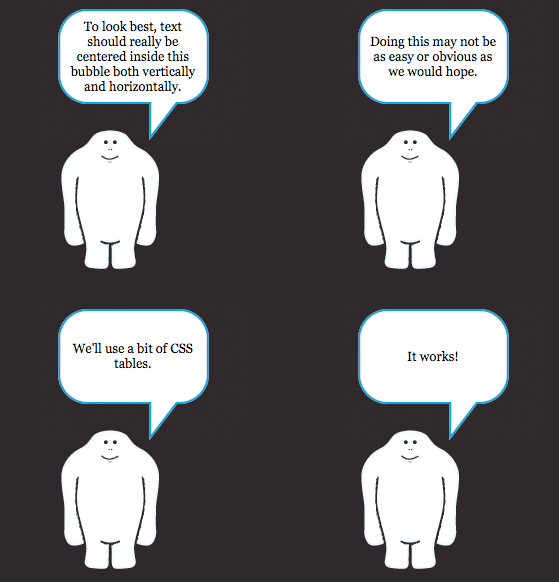
实现的效果如下:查看 Demo,下载代码文件 Html代码
<div class="area">
<div class="bubble">
<p>To look best, text should really be centered inside this bubble both vertically and horizontally.</p>
</div>
</div>
CSS代码
.area {
  width: 300px;
  height: 300px;
  background: url(../images/abe-bg.png) no-repeat;
  position: relative;
}

.bubble {
  position: absolute;
  left: 93px;
  top: 21px;
  width: 135px;
  height: 84px;
  display: table;
}

.bubble p {
  display: table-cell;
  vertical-align: middle;
  text-align: center;
}
上面的代码利用了table table-cell中的vertical-align: middle 属性。
IE 8 开始支持 CSS tables,那么在IE7及以下,怎么来解决呢?
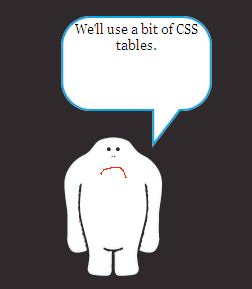
不要着急,下面提供几种解决方案:方法1
<!--[if lt IE 8]>
<style>
.bubble { position: absolute; left: 93px; top: 21px; width: 135px; height: 84px; text-align: center;}
.bubble p { position: relative; font-size: 11px;
margin-top: expression(this.offsetHeight < this.parentNode.offsetHeight ? parseInt((this.parentNode.offsetHeight - this.offsetHeight) / 2) + "px" : "0");
}
</style>
<![endif]-->
方法2
.bubble p { position: relative; font-size: 11px;
margin-top: inherit;
*clear: expression(
style.marginTop = "" + (offsetHeight < parentNode.offsetHeight ? parseInt((parentNode.offsetHeight - offsetHeight) / 2) + "px" : "0"),
style.clear = "none", 0
);
}
方法3 注:需要再p标签外添加一个额外的div标签
<!--[if lt IE 8]>
<style>
.bubble div { position: absolute; top:50%;}
.bubble div p {position: relative; top: -50%}
</style>
<![endif]–>
方法4 请参见《verticalAndHorizontalAlignment》本文介绍的几种方法都学会了(⊙_⊙)?详细内容请参见《vertically-center-multi-lined-text》。
加入讨论
新评论 — 条评论保存在本站自托管服务里,无需注册登录,填个昵称就能留言;不依赖任何第三方 Cookie 或账号。请尽量说点有用的 :)